
Quick answer
A collection request is not an online booking. Start with the actual equipment that has already been safely removed, the collection postcode, broad visible condition, ground-level staging point, access facts and a site contact. An eligible 10–69-panel request can use the online estimator for an indicative figure. Mixed equipment, larger batches or complex access need the collection enquiry form or Commercial Services. Online time selection is temporarily unavailable while ReSova repairs its calendar email connection, so availability is discussed only after the request has been reviewed.
Before you start
Prepare the facts that describe the ready batch rather than the original system or a future removal plan. This makes it possible to assess a request without treating an estimate or form submission as a confirmed collection.
- The collection postcode and the actual ground-level handover location.
- Equipment count and categories — panels, inverter, rails or other components should not be merged into one assumed number.
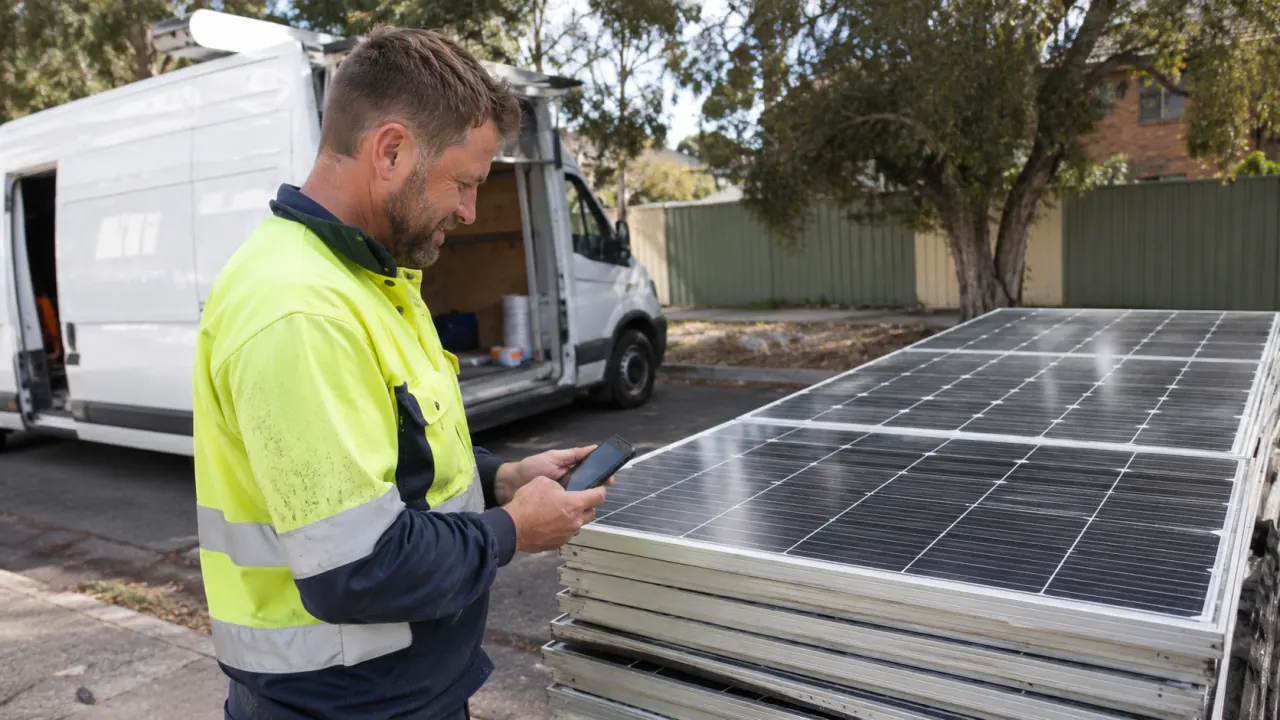
- Whether the equipment is already safely removed and staged. ReSova collects from ground level; appropriately qualified people must complete electrical disconnection and removal first.
- Access and contact facts — parking, gates, loading areas, operating-site limits and the person who can confirm the handover.
Step 1: Choose the right request path
Use the online estimator when the request is an eligible panel-only batch of 10–69 panels and the details fit the standard pathway. It can provide an indicative figure from the postcode, quantity, condition and loading information. Use the collection enquiry form or Commercial Services when the batch includes other equipment, 70 or more panels, staged work, multiple sites or operationally constrained access. Neither route confirms acceptance, price, a vehicle, a collection time or a downstream outcome.
- Panel-only estimate — a starting point for an eligible ready 10–69-panel batch; it remains indicative until the full request is reviewed.
- Tailored collection review — the route for panels plus inverter, racking or other components, larger volume, uncertain condition or non-standard access.
Step 2: Quantity, condition, loading assistance
Use current, verifiable details. An estimate is more useful when it reflects what is actually available for handover, rather than a project forecast or a count that includes equipment still installed.
- Panel count — enter the best actual count. A 70+ panel batch or unusual site conditions need a tailored review.
- Broad visible condition — disclose damaged, shattered, fire-affected or mixed equipment and provide photographs where useful; a visual note is not a technical assessment or acceptance decision.
- Staging and access — identify the ground-level handover point, vehicle or loading constraints, gates, operating hours and any induction or site-contact requirements.
For a standard eligible request, the estimator returns an initial figure from the details entered. It is not a final price. Read the collection cost breakdown to understand why postcode, quantity, condition, access and loading circumstances can change the later scope review.
Step 3: Submit a collection review
After the estimate or enquiry details are ready, submit the collection request with the current contact and access information. Online date-and-time selection is temporarily closed while the Google Calendar email connection is repaired. Do not rely on historical booking windows, lead times or time slots published elsewhere; they are not current availability. The request gives ReSova the facts needed to discuss a possible collection scope and availability, but does not make an appointment by itself.
Step 4: Discuss availability after review
A ReSova team member can discuss possible availability only after considering the submitted equipment and site facts. If something changes — for example the count, equipment mix, staging area, gate process or contact — update the request so the discussion is based on the current job rather than a stale estimate.
- Name, phone and email for the person authorised to discuss the request.
- Collection address and suburb for the real ground-level handover point.
- Current site-access notes, such as long carry, restricted parking, gate process, loading area or forklift traffic.
A submitted request is not a confirmed booking, price, vehicle allocation, route or final downstream decision. Keep your inventory and photos available for any follow-up. Once the calendar email issue is repaired and the online workflow is tested, the time-selection option may be re-enabled; until then, ReSova will use the reviewed request to discuss the next step.
Bulk projects and Trade Accounts
A 70+ panel, mixed-equipment, recurring, multi-site or access-constrained project needs a tailored commercial scope. Installers and electricians with regular eligible work can review the Trade Account option, but an approved account does not create a fixed route or reserve collection times. Provide one current batch record and handover contact for each request.
Requesting collection in Sydney
Start with the online estimator for an eligible panel-only estimate, or use Commercial Services for a project-based conversation. For unusual quantities, out-of-standard postcodes or complete-system requests, the collection enquiry form gives the team more room to understand the current scope. In every case, separate safe removal from collection handover and wait for ReSova to review the actual facts before representing the collection as arranged.
Key takeaways
- Prepare the current removed equipment, postcode, ground-level staging, access facts and site contact before requesting collection.
- Eligible 10–69 panel batches can use the estimator for an indicative figure; larger, mixed or complex work needs a tailored review.
- Online time selection is temporarily unavailable while the calendar email connection is repaired.
- A form submission or estimate does not confirm acceptance, price, a vehicle, route, collection time or downstream outcome.
- Update the request whenever the equipment batch, access or responsible site contact changes.
Frequently asked questions
How many panels can use the online estimator?
The indicative online estimate is for eligible 10 to 69 panel requests. Smaller or larger quantities, mixed equipment and unusual site conditions need a tailored collection review instead of a fixed instant price.
Can I choose a collection date and time online?
Not currently. Online time selection is temporarily unavailable while the calendar email connection is repaired. Submit the request details and ReSova will discuss availability after reviewing the actual collection scope.
What if my project is 100 panels or more?
It needs a tailored commercial review. Include the actual equipment groups, staging area, access constraints and one project contact; a request does not reserve a date or confirm a vehicle or route.
Do I need to have removed the panels before I request collection?
Panels must be safely disconnected and removed by an appropriately qualified person, then stacked and ready before the collection day — ReSova collects from ground level and doesn't do the electrical work.
Get an Estimate
ReSova considers eligible, already removed equipment in Sydney and selected NSW areas after the ground-level handover and site access can be confirmed. It does not decide removal, technical condition or a final downstream outcome.